Live Streaming Player: Features, Formats, and Costs
A live event can be healthy at the encoder and CDN yet still fail where it matters: the viewer's screen. The wrong live streaming player can mean a slow start, constant buffering, missing captions, expired access tokens, or a "live" picture that arrives too late for the experience you promised.
Choosing a player is therefore not just a front-end design decision. It connects your video formats, latency target, device coverage, security, monetization, analytics, and support model. This guide turns those dependencies into a practical requirements list, cost model, and test plan for streaming teams.
What is a live streaming player?
A live streaming player is the viewer-side software that receives an ongoing video stream, selects a suitable quality, buffers and decodes the media, and presents it with controls. Unlike a basic file player, it must keep refreshing a live playlist or real-time session while staying near the live edge and recovering from network or authorization failures.
On the web, the visible surface is usually an HTML <video> element. A playback engine around it handles work such as parsing an HLS or DASH manifest, downloading segments, adapting quality, managing the buffer, enforcing playback rules, and reporting quality-of-experience events. The W3C's Media Source Extensions specification defines the browser mechanism that lets JavaScript construct media streams for adaptive playback and time-shifted live video.
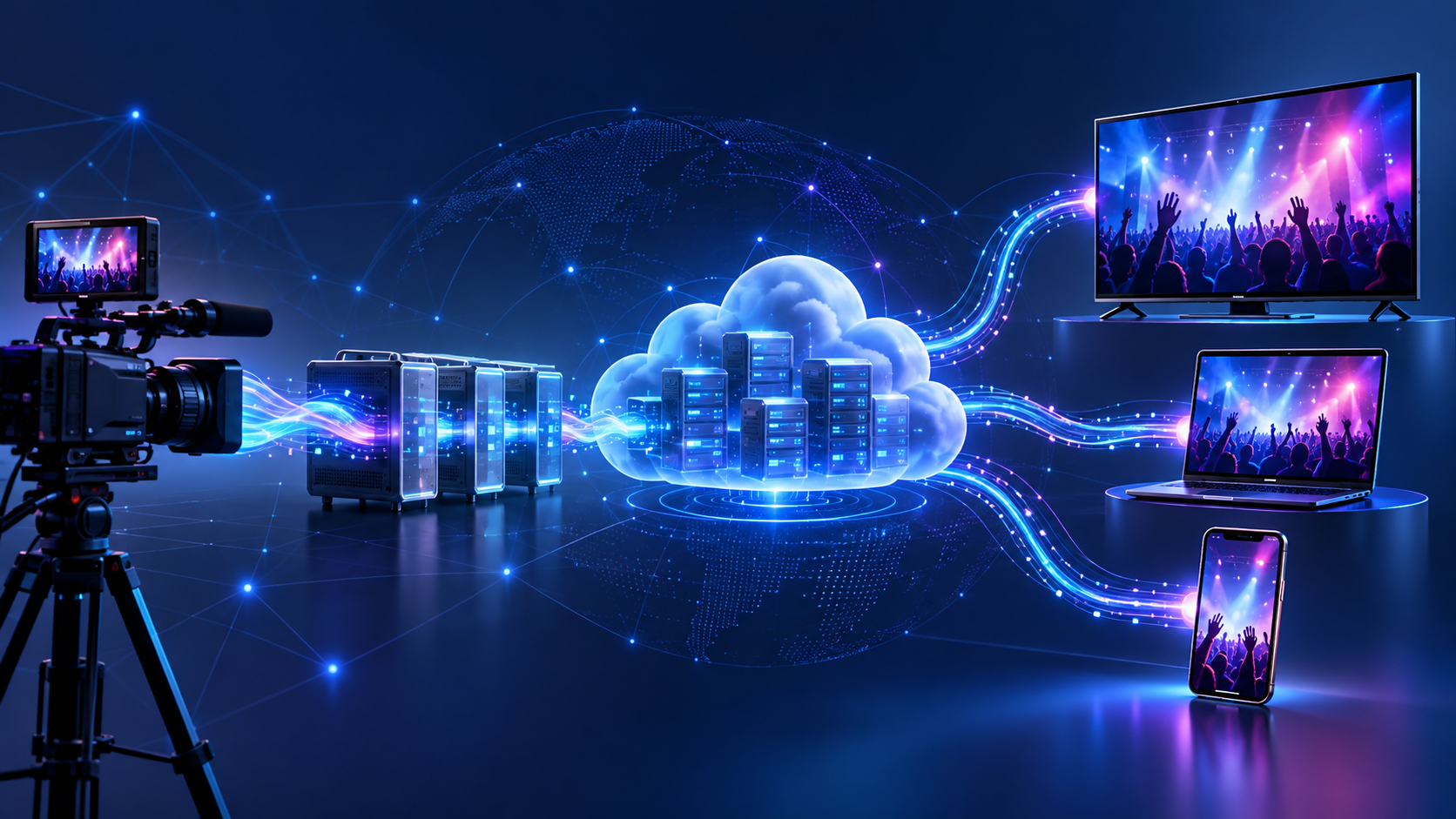
The player is not the encoder, origin, or content delivery network (CDN). Those components sit earlier in the chain:
- Cameras and microphones send audio and video to an encoder.
- The encoder compresses the feed and publishes it to an ingest endpoint, often through RTMP, RTMPS, or SRT.
- A streaming service transcodes the source into several qualities and packages it for delivery.
- A CDN distributes the manifests and media to viewers.
- The player authorizes the session, selects media, decodes it, renders it, and reports what happened.
That distinction matters when troubleshooting. A successful encoder connection does not prove that the manifest is valid. A valid manifest does not prove the device supports the selected codec. A successful video request does not prove the DRM licence, captions, ads, or live-edge logic will work.
How a live streaming player works
For HTTP-based streaming, the player starts by requesting a manifest. HLS usually uses an .m3u8 playlist, while MPEG-DASH uses an .mpd document. The manifest points to available video qualities, audio tracks, captions, timing information, and short media segments or partial segments.
The player estimates the viewer's available bandwidth and checks its current buffer. It chooses a rendition, fetches media, and appends the data to the browser or app's decode pipeline. If bandwidth falls, the adaptive bitrate (ABR) logic can switch down before the buffer empties. If conditions improve, it can move back up without restarting playback.
Apple describes HLS as an HTTP technology that works with ordinary web servers and CDNs and adapts playback to changing network conditions. That makes it useful for reliable one-to-many delivery. DASH follows a similar segment-and-manifest model, although the device, browser, DRM, and packaging support paths differ.
Live playback also has a moving boundary. The newest available media is the live edge; the distance between that edge and the viewer's playhead is live latency. A larger buffer gives the player more protection against network variation, but adds delay. A smaller buffer reduces delay, but gives the player less time to recover from a slow segment, quality switch, or licence request.
The player continuously balances these competing goals:
- start quickly without choosing an unsustainable quality;
- avoid stalls without drifting too far behind live;
- switch renditions without visible glitches;
- recover from transient errors without retrying forever;
- enforce access without exposing long-lived credentials; and
- keep controls, captions, ads, and analytics synchronized with the media timeline.
This is why player performance cannot be judged from a single successful demo. It is a system behavior that changes with content, devices, networks, entitlement rules, and live-event transitions.
Live streaming player formats and protocol choices
Teams often use "format" to mean several different things. A useful requirements document separates the delivery protocol, ingest protocol, container, codec, and DRM system because a player may support one combination but not another.
| Layer | Common options | Player-side question |
|---|---|---|
| Viewer delivery | HLS, LL-HLS, MPEG-DASH, low-latency DASH, WebRTC | Can every required device play the chosen path, and what is the fallback? |
| Ingest | RTMP/RTMPS, SRT, WebRTC/WHIP | Does the upstream platform convert ingest into the viewer delivery format? |
| Video codec | H.264/AVC, HEVC/H.265, AV1, VP9 | Which devices can decode each codec in the selected container and DRM path? |
| Audio codec | AAC, Opus, AC-3/E-AC-3 | Are stereo, surround, alternate audio, and language tracks supported? |
| Packaging | MPEG-TS or fragmented MP4/CMAF | Does the player handle the exact HLS or DASH packaging profile? |
| Content protection | AES encryption, Widevine, FairPlay, PlayReady | Which key and licence flows work on each platform? |
HLS for broad, scalable delivery
HLS is usually the safest starting point when audience reach and CDN scalability matter more than real-time interaction. It can carry adaptive video, alternate audio, captions, encryption, timed metadata, and DVR windows. Native playback exists in parts of the Apple ecosystem, while other web environments commonly use an MSE-based JavaScript engine.
Standard HLS is resilient because the player can hold a healthy segment buffer. Low-Latency HLS (LL-HLS) reduces delay by making partial segments available before a complete segment finishes. That benefit requires coordinated support from encoder or packager through origin, CDN, and player; a low-latency switch in the UI cannot repair an incompatible delivery path.
MPEG-DASH for standards-based adaptive playback
MPEG-DASH also describes multiple representations in a manifest and lets the player adapt between them. It is common in multi-DRM and cross-platform OTT workflows, especially where a playback SDK already owns browser and device differences.
Do not select DASH from a compatibility checkbox alone. Verify the precise codec, CMAF profile, subtitle format, DRM combination, and live timeline behavior on your launch devices. The same principle applies to HLS: a protocol name is only the start of the playback contract.
WebRTC for genuinely interactive experiences
WebRTC is a stronger candidate when participants must talk, bid, play, teach, or react with minimal delay. The W3C WebRTC specification covers real-time audio, video, and data exchange in browsers, but a production service also needs session negotiation, connectivity handling, media routing, scaling, and observability.
That makes WebRTC architecturally different from simply fetching cacheable media segments through a CDN. For a large passive audience, HLS or DASH may offer a better reliability-and-cost profile. For two-way participation, the extra real-time infrastructure may be essential.
Treat latency as a product requirement
"Low latency" should be a measurable viewer outcome, not a vendor label. Define how far behind the event a viewer may be, how quickly playback must start, and how often the service may stall. Then test end-to-end delay from camera capture to a physical viewing device.
Choose the delivery path from the experience:
| Experience | Sensible starting point | Main trade-off |
|---|---|---|
| News, worship, concerts, linear channels | Standard HLS or DASH | More delay in exchange for mature, scalable delivery |
| Sports, auctions, watch-alongs, live commerce | LL-HLS or low-latency DASH | Tighter encoder, CDN, player, and monitoring requirements |
| Calls, remote production, games, interactive classrooms | WebRTC | Minimal delay with more complex session and scaling behavior |
Always plan a graceful fallback. If the low-latency mode fails on a device or network, stable standard-latency playback is often better than an endless spinner. Record the fallback in telemetry so a "successful" session does not hide a latency regression.
Live streaming player features that matter in production
A long feature list is less useful than acceptance criteria. Evaluate each capability against the content, commercial model, and devices you will actually launch.
Adaptive playback and resilience
ABR should switch down before a stall and recover upward without oscillating between qualities. Test rendition alignment, incorrect bandwidth declarations, discontinuities, missing segments, encoder restarts, and the lowest bitrate on genuinely weak connections.
The player also needs bounded retry rules. It should distinguish a temporary CDN timeout from an unsupported codec, expired token, or failed DRM licence. Infinite retries turn a diagnosable failure into a spinner; immediate failure turns a brief network issue into an unnecessary exit.
Live-edge control and DVR
For low-latency streams, look for target-latency controls, drift correction, catch-up playback, and a visible return-to-live action. For DVR, verify pause, rewind, resume, and seeking near the start and end of the live window. Confirm what happens when old segments expire while the viewer is paused.
Device-ready controls and accessibility
Responsive layout is only the beginning. Controls must work with touch, keyboard focus, screen readers, TV remotes, orientation changes, full screen, picture-in-picture, and casting where those are requirements. Test minimum-size devices and low-memory hardware, not only a current desktop browser.
Captions are a launch requirement, not decorative polish. WCAG 2.2 success criterion 1.2.4 calls for captions for live audio in synchronized media at Level AA, and the W3C guidance on live captions explains that meaningful non-speech audio and speaker identification belong in captions too. Verify timing, language labels, default selection, style controls, and persistence after quality changes or ads.
Autoplay also needs a fallback. Browsers often block audible media that starts without user interaction; the MDN autoplay guide recommends accounting for blocked playback and notes that muted media is treated differently. Show a clear poster and play action, handle a rejected play() request, and never leave the viewer with a frozen first frame and no explanation.
Security and entitlement
DRM, encryption, signed URLs, geo rules, concurrent-stream limits, and watermarking address different risks. A premium service may need several of them. The browser's Encrypted Media Extensions connect media playback with a content decryption system, but the product still owns entitlement, token lifetime, licence policy, and viewer-facing error handling; see the W3C Encrypted Media Extensions specification.
Keep long-lived secrets out of page markup and apps. A backend should verify entitlement and return short-lived playback authorization. Separate "subscription required" from "licence timed out" and "segment URL expired" so support and operations can act on the real cause.
Monetization and engagement
An AVOD player may need client-side or server-side ad insertion, VAST/VMAP integration, tracking events, consent handling, and predictable behavior when an ad fails. A TVOD or pay-per-view event needs entitlement, receipt recovery, and concurrency rules. Subscriptions may add previews, upsells, plan restrictions, and account-level device limits.
Engagement features such as live chat, reactions, polls, and simulcasting are adjacent to playback rather than proof of playback quality. Define how they synchronize with the player, especially if viewers can pause or rewind. A chat message aligned to the wall clock can spoil a viewer who is two minutes behind live.
Playback analytics and operational visibility
Basic audience analytics tell you who watched and for how long. Quality-of-experience telemetry tells you whether they could watch. Capture at least startup time, startup failure, rebuffer count and duration, selected quality, bitrate switches, fatal error category, dropped frames where available, live-edge distance, and exits.
Attach enough context to segment the problem: player version, device, browser or app version, stream ID, CDN path, protocol, codec, DRM system, and experiment cohort. Do not log playback tokens, licence secrets, or unnecessary personal data.
How to choose a live streaming player
Start with the viewing contract, not a vendor shortlist. Write down the must-support platforms, protocol and codec combinations, latency target, DRM systems, caption and audio requirements, monetization model, analytics events, and support expectations.
Then choose an ownership model:
| Approach | Best fit | You own | Watch for |
|---|---|---|---|
| Open-source playback engine | Teams with strong video and front-end engineering | Integration, UI, upgrades, device qualification, plugins, monitoring, incident response | "Free" library cost hiding substantial engineering and QA work |
| Commercial player SDK | Teams that need certified coverage, specialist features, or vendor support | Product integration, platform dependencies, configuration, release testing | Licence limits, feature tiers, support response, and platform-specific gaps |
| Hosted player or iframe | Fast web launches with conventional requirements | Page integration, branding options, entitlement handoff, acceptance testing | Limited UI control, analytics portability, and constrained custom workflows |
| Integrated OTT platform | Businesses launching coordinated web and native apps | Product decisions, content operations, brand, commercial rules | Platform fit, roadmap dependence, migration, and contract scope |
| Fully custom player layer | Products where playback behavior is a core differentiator | Everything from architecture through long-term maintenance | Highest engineering, device-lab, and operational burden |
RentAnOTT fits the integrated-platform route for content owners who need branded web, native Android and iOS apps, enterprise CMS controls, adaptive playback, monetization, DRM, and managed streaming infrastructure to work as one service. It is most relevant when the decision is broader than selecting a JavaScript library and the team wants to launch a complete OTT product without assembling each layer independently.
Before signing or building, ask each candidate to demonstrate your hardest cases, not a perfect public stream:
- an entitled, encrypted live event on every priority device;
- a bandwidth drop followed by recovery;
- caption and alternate-audio switching;
- an encoder restart and manifest discontinuity;
- token or licence expiry during playback;
- an ad break, failed ad, and return to content;
- pause, DVR rewind, and return to live; and
- a release rollback with versioned player telemetry.
Use a weighted scorecard. Device reach, playback reliability, security, accessibility, analytics, and operational support usually deserve more weight than animation options in the control bar.
What does a live streaming player cost?
There is no useful single price for a live streaming player because "player" can describe free library code, a commercial SDK, a hosted playback service, or an end-to-end streaming platform. Estimate total cost across five buckets:
Total monthly cost = player licence + engineering and QA + video processing + delivery and storage + operational support and add-ons.
1. Player licence or platform fee
An open-source engine may have no licence fee, but you still pay to integrate, customize, upgrade, and test it. Commercial SDKs may price by monthly plays, impressions, viewing minutes, platforms, features, or negotiated enterprise terms. Hosted and integrated platforms may bundle the player into a wider subscription or usage contract.
Check whether low-latency modes, DRM, ads, analytics, casting, smart-TV SDKs, support, and white-label controls are included. A low entry price can rise quickly when the requirements sit in higher tiers.
2. Engineering and device QA
Budget for initial integration and recurring maintenance. Work commonly includes entitlement, error states, analytics, consent, captions, ads, UI, app lifecycle handling, upgrades, and regression testing. The cost grows with the number of distinct runtimes: desktop browsers, mobile browsers, native mobile apps, WebViews, smart TVs, and casting receivers are not one test target.
Model this as team time per release, not only launch effort. A player that saves licence fees but consumes a specialist engineer and a broad device lab may be more expensive than a supported SDK.
3. Processing, packaging, storage, and delivery
Video infrastructure is often the largest variable cost because it scales with event duration, viewer minutes, quality, and geography. Public pricing illustrates the unit model, but not an apples-to-apples vendor comparison.
For example, Cloudflare Stream currently lists delivery at $1 per 1,000 minutes delivered and storage at $5 per 1,000 stored minutes; its pricing documentation says live and on-demand delivery use the same minute model. At that published delivery rate, 1,000 viewers watching a 60-minute event produce 60,000 delivered minutes, or $60 in delivery charges before storage or unrelated product costs. Recheck pricing and terms before budgeting.
Mux currently lists the video player itself as free, the first 100,000 delivery minutes per month as free, and delivery starting at $0.0008 per minute, while live input, higher resolution, captions, DRM, simulcasting, and other options can add separate charges; see Mux's current pricing page. The structures differ, which is exactly why your spreadsheet should model the full workflow rather than compare one highlighted unit.
Use at least three demand scenarios:
| Input | Pilot | Expected | Peak |
|---|---|---|---|
| Events per month | Your assumption | Your assumption | Your assumption |
| Average event length | Minutes | Minutes | Minutes |
| Average concurrent viewers | Viewers | Viewers | Viewers |
| Average watch time | Minutes | Minutes | Minutes |
| Delivered minutes | Events × viewers × watch time | Same formula | Same formula |
| Recording storage | Events × event length × retention | Same formula | Same formula |
| Simulcast destinations | Count × live minutes | Same formula | Same formula |
Add taxes, support plans, overage rates, minimum commitments, and currency risk where relevant. For variable audiences, peak assumptions matter because a successful event should not become a cost or capacity incident.
Try the calculator: Estimate delivered data, CDN cost and live peak bandwidth for each scenario with the free streaming bandwidth and CDN cost calculator.
4. Security, monetization, and accessibility add-ons
DRM licences, secure delivery, forensic watermarking, ad services, live captioning, translations, and fraud controls can carry per-play, per-minute, or monthly charges. Include the upstream production cost of accurate captions and metadata; the player's caption button is not the captioning service.
5. Operations and failure cost
Live incidents happen in real time, so include monitoring, on-call coverage, vendor support, rehearsal, redundant ingest, backup feeds, and post-event analysis. Also price the business impact of failure: refunds, sponsor make-goods, support volume, and lost trust can exceed the player's direct bill.
The cheapest option is the one that meets the acceptance criteria at the lowest total cost of ownership—not necessarily the one with the smallest licence line.
Live streaming player implementation and testing checklist
Move from a proof of concept to production in controlled layers.
Define the playback contract
List the exact browsers, operating systems, app versions, TV models, codecs, packaging profiles, DRM systems, caption formats, audio layouts, DVR duration, latency mode, and fallback. Name an owner for each dependency.
Integrate a known-good stream first
Start with a validated, unencrypted test stream to prove the basic playback path. Add entitlement, DRM, captions, ads, analytics, and low-latency tuning one at a time. This makes the first failing layer visible.
Build viewer states deliberately
Design distinct states for loading, ready, playing, paused, buffering, offline, ended, unauthorized, unavailable, and failed. Give recoverable errors a bounded automatic retry and a manual action. Give permanent errors a useful message instead of a spinner.
Test a matrix, not a happy path
Cover these categories before launch:
- Media: every rendition, codec, audio track, caption format, encryption mode, discontinuity, ad transition, and DVR boundary.
- Devices: current and minimum browser versions, iOS and Android hardware, embedded WebViews, low-memory devices, smart TVs, casting, and remotes.
- Networks: strong and weak Wi-Fi, mobile data, bandwidth shifts, packet loss, offline recovery, slow DNS, and CDN errors.
- Authorization: entitled and unentitled users, geo restrictions, expired tokens, licence failure, concurrency limits, logout, and account changes.
- Live operations: input loss, encoder restart, backup feed, slate, schedule boundary, key rotation, caption loss, and the transition to a recording.
- Controls: play, pause, mute, volume, captions, audio selection, quality override, return to live, full screen, picture-in-picture, casting, touch, keyboard, and remote focus.
Set launch gates from viewer outcomes
Track startup success, time to first frame, rebuffering, fatal error rate, selected quality, and live latency by device and network group. Define thresholds, alert owners, and rollback criteria before the event. Averages alone can hide a broken device family or region, so inspect percentiles and segmented results.
Finally, rehearse the support path. When a viewer reports "it won't play," the team should know how to locate the session, identify the failure layer, communicate status, and recover without exposing private data.
Frequently asked questions
What is the best format for a live streaming player?
HLS is a strong default for broad device reach and CDN-scale one-to-many delivery. MPEG-DASH is common in standards-based, multi-DRM OTT workflows, while WebRTC is better suited to genuinely interactive use cases; the best choice depends on latency, devices, codecs, security, and fallback requirements.
Does a live streaming player need DRM?
Not every stream needs DRM. Free public events may use transport encryption and signed URLs, while premium or rights-restricted content often combines DRM with entitlement checks, short-lived playback authorization, geo rules, and concurrent-stream controls.
How much latency should a live stream player have?
There is no universal target. Passive broadcasts can accept more delay for stability and scale, sports or auctions may need low-latency HTTP delivery, and two-way interaction may justify WebRTC. Define and measure end-to-end delay on real devices rather than relying on a protocol label.
Can I embed a live video player on my website?
Yes. A hosted player can often be embedded with an iframe, while a JavaScript player SDK offers more control over UI, events, authorization, and analytics. Cloudflare's Stream Player documentation shows the hosted-embed pattern, including signed-token and autoplay options.
Is an open-source live stream player free?
The licence may be free, but production ownership is not. Plan for integration, plugins, security, accessibility, device testing, upgrades, monitoring, and incident response when comparing open-source software with a commercial SDK or integrated platform.
Which metrics should a live player track?
Track startup attempts and failures, time to first frame, rebuffer count and duration, fatal errors, bitrate and quality switches, dropped frames where available, live-edge distance, watch time, and exits. Segment those metrics by player version, device, protocol, codec, DRM path, CDN, and stream.
Conclusion
Choose a live streaming player from the experience you need to protect. First define devices, latency, security, accessibility, monetization, and operational ownership; then compare libraries, SDKs, hosted players, or integrated platforms against the same acceptance tests and total-cost model.
The next practical step is a requirements workshop using one real event, three audience scenarios, and your hardest device or rights constraint. That turns a vague player shortlist into an evidence-based build, buy, or platform decision.