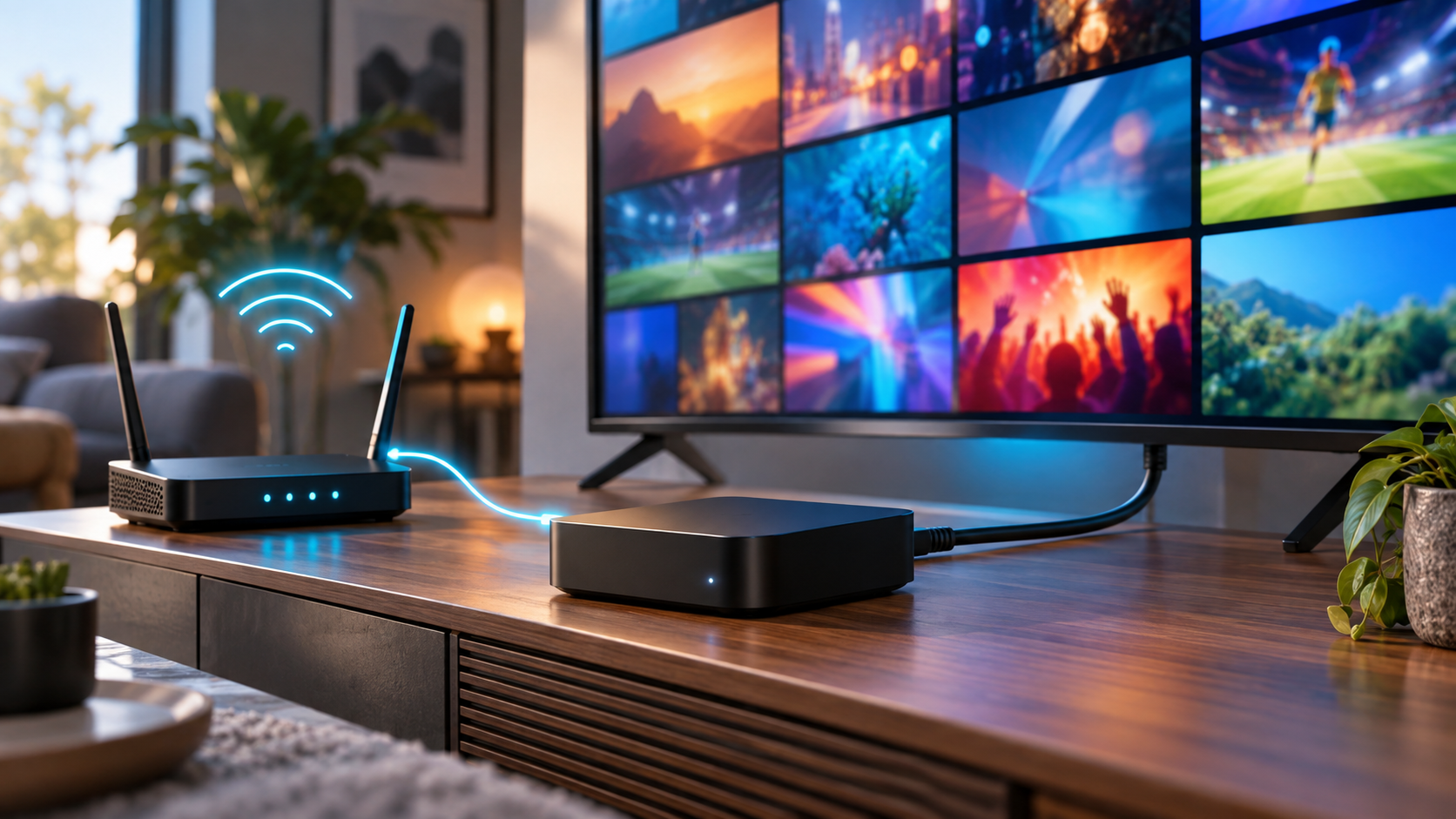
IP Box IPTV Explained: How Set-Top Streaming Works
An IP box IPTV search often starts with a practical problem: you want internet-delivered television on a big screen, but the terms “IPTV box,” “Android TV box,” “streaming stick,” and “set-top box” seem interchangeable. They are not quite the same—and buying hardware before understanding the service can leave you with an unnecessary or insecure device.
This guide explains what the box actually does, how a channel travels from a video service to your television, which specifications matter, and when an app on a device you already own is the better choice. It also separates the neutral technology from the licensing of the content delivered through it.
What does IP box IPTV mean?
An IP box IPTV setup uses a small network-connected device to receive, buffer, decode, and display television delivered over Internet Protocol. The box is the playback endpoint—not the channel source—so it still needs an authorized service, a compatible app or operator portal, and a reliable network connection.
“IP box” is an informal name rather than a single technical standard. You may also see IPTV box, IPTV set-top box, TV box, or simply STB. The International Telecommunication Union’s IPTV terminal-device model includes both external set-top boxes and televisions with IPTV capability built in. In other words, the physical box is only one possible endpoint.
The device usually performs five jobs:
- Connects to the home or venue network through Ethernet or Wi-Fi.
- Runs the service’s approved app, middleware, or portal.
- Authenticates the viewer and checks what the account may watch.
- Buffers and decodes compressed video and audio.
- Sends the resulting picture and sound to the television, usually through HDMI.
It does not create channels, grant viewing rights, or make an unlicensed service legitimate. Think of it as a specialized computer positioned between a video delivery service and a display.
How an IP box IPTV setup works from source to screen
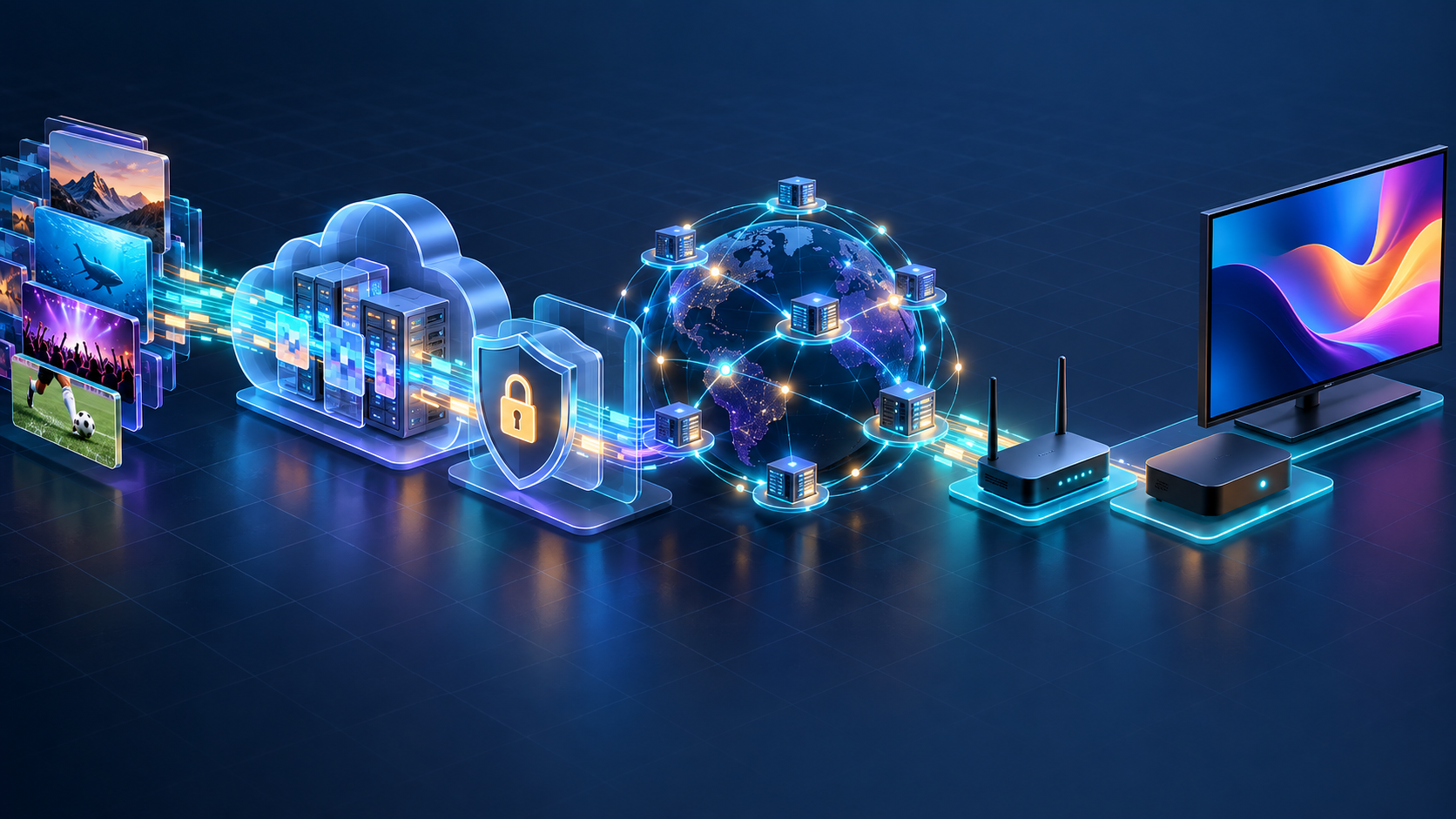
Pressing a channel button feels instant, but several systems must cooperate before a frame appears. The flow is easier to understand as a six-stage chain.
1. A service acquires and prepares the content
A legitimate operator starts with content it owns or is licensed to distribute. Live feeds enter an encoding workflow, while on-demand programs are ingested from master files. The platform compresses each source into one or more video renditions so different devices and network conditions can be supported.
2. The platform packages and protects the stream
The encoded output is packaged for delivery. Public-internet services commonly use HTTP-based adaptive streaming. Apple’s HTTP Live Streaming documentation explains that HLS uses playlists to index media segments and can adapt playback to available wired or wireless bandwidth. Other deployments may use MPEG-DASH, while managed telecom IPTV can use multicast for efficient live-channel distribution.
Protected services also apply access controls such as encryption, digital rights management, signed playback requests, device limits, or geographic rules. Those controls belong to the service layer, not to the HDMI box alone.
3. The service publishes a catalog and program guide
The user interface needs more than video URLs. It may load channel names, artwork, schedules, languages, ratings, catch-up windows, and on-demand metadata from the operator’s platform. An electronic program guide can therefore fail even while the underlying video still plays, because guide data and media are separate resources.
4. The box authenticates the viewer
When the app opens, it signs the viewer in or presents a device-activation flow. The backend checks whether the subscription is active, which channels are included, how many concurrent streams are allowed, and whether the device or region is permitted.
This is why buying a box and buying a television service are different decisions. A legitimate device can run many apps, but it cannot supply paid channels by itself.
5. The player requests, buffers, and decodes video
After a viewer chooses a channel, the player requests the appropriate stream. With segmented streaming, it downloads a playlist and a short sequence of media segments, keeps a small buffer, decodes the selected codec, and renders frames while later segments arrive. RFC 8216 describes HLS playlists as text resources containing media locations and descriptive tags for continuous playback.
The buffer absorbs small variations in delivery. Too little buffered media makes a brief network interruption visible; too much can increase the delay behind the live event. The app and service must balance resilience against latency.
6. HDMI carries the result to the television
Finally, the box negotiates an output resolution, frame rate, color format, and audio mode with the TV or receiver. The television displays an already-decoded signal. If menus look sharp but one channel stutters, the cause may be the source, network path, codec support, or stream profile rather than the panel.
Managed IPTV, internet IPTV, and OTT are related—not identical
Everyday usage stretches “IPTV” across several delivery models. That is convenient for shopping, but it hides an important architectural difference.
| Model | Typical network | Typical endpoint | Operator control | Common use |
|---|---|---|---|---|
| Managed IPTV | A provider-controlled access network | Operator set-top box or approved TV | High, including quality-of-service controls | Telecom pay TV |
| Internet-delivered live TV | The public internet | IPTV box, smart TV, stick, phone, or browser | Limited beyond the service edge | Live channel apps and virtual TV packages |
| OTT video | The public internet | Apps across many consumer devices | Limited beyond the service edge | Live, on-demand, subscription, ad-supported, or transactional video |
The ITU model specifically discusses IPTV terminals receiving linear TV and video on demand through a managed content delivery network with quality-of-service considerations. By contrast, an app reaching a video service across the open internet shares access capacity with the household’s other traffic.
The viewer experience can still look similar: sign in, browse a guide, select a channel, and watch. The difference matters when diagnosing latency, guaranteeing service quality, choosing device support, or designing a streaming business.
IP box IPTV vs a streaming stick or smart-TV app
You do not automatically need a dedicated IPTV service box. The best endpoint is the simplest supported device that delivers reliable playback, receives security updates, and provides the controls your household or venue needs.
| Option | Strengths | Tradeoffs | Best fit |
|---|---|---|---|
| Dedicated set-top box | Ethernet is often built in; remote-first interface; stronger connectivity and ports | Another device, cable, remote, and power supply | Primary-TV use, operator-managed deployments, older TVs |
| Streaming stick | Compact, inexpensive, mature app stores | Ethernet may need an adapter; less thermal and port headroom | A quick upgrade for a TV with HDMI |
| Smart-TV app | No extra hardware or input switching | App availability and updates vary by TV model and age | Supported recent TVs with responsive software |
| Phone or tablet casting | Convenient for occasional viewing | Depends on another device and compatible casting behavior | Secondary screens and temporary setups |
A set-top box earns its place when it solves a real constraint: the TV lacks the required app, the built-in interface is slow, Ethernet matters, the operator mandates a managed device, or accessibility and remote-control behavior are better on dedicated hardware. If the existing television already runs the service well, another box may add complexity without improving the stream.
What to check before buying an IPTV box
Marketing often emphasizes “8K,” huge channel counts, or preloaded access. A safer evaluation starts with compatibility, security, and sustained playback.
Service and app compatibility
Confirm that the service you are authorized to use publishes an app for the device’s operating system and region. Ask whether login uses an official app, operator portal, or activation code, and whether live TV, subtitles, audio languages, catch-up, and parental controls work on that exact device class.
Avoid assuming that any box can run any service. Content owners may restrict playback to certified platforms or require a particular DRM implementation.
Codec and output support
Match hardware decoding to the service’s actual formats, not the largest resolution printed on the package. Check supported video codecs, HDR formats, frame rates, audio passthrough, and HDMI output. Hardware decoding is important because it handles compressed video more efficiently than forcing a general-purpose processor to do the same work in software.
Network options
Choose wired Ethernet when the box is stationary and cabling is practical. For Wi-Fi, look for support that matches your router and test signal quality at the television—not beside the router. Raw speed-test results are only part of the picture; congestion, packet loss, competing household traffic, and the service’s own capacity can all affect live playback.
Software support and certification
For Android-based hardware, verify the exact model’s certification rather than trusting an “Android” label. Google says Play Protect-certified devices have passed Android compatibility testing, while uncertified devices may not receive system or app updates and may not work correctly with Google services.
This is a current security issue, not a theoretical one. A 2025 FBI public-service announcement about the BADBOX 2.0 botnet identifies generic streaming devices, unknown brands, unofficial app marketplaces, requests to disable Play Protect, and unexplained network traffic as warning signs. Buy from a traceable manufacturer, keep protective scanning enabled, and avoid “fully loaded” hardware that requires sideloading unknown apps.
Licensing and seller transparency
The hardware itself has legitimate uses; legality depends on how it is configured and what content is accessed. UK government guidance, for example, states that media streaming boxes are legal until altered to access paid material without authorization. Laws vary by country, so use services that clearly identify the operator, explain their channel rights, publish terms and privacy information, and provide normal support and payment records.
Treat “every premium channel forever” bundled into a one-time hardware price as a warning, not a feature. A device seller should be able to separate the cost of the hardware from a properly licensed content subscription.
How streaming businesses support IP box IPTV viewing
For a content owner, the box is the last visible component in a much larger service. Reliable television viewing requires content ingestion, encoding profiles, packaging, origin storage, CDN delivery, identity, entitlements, payments, DRM, guide metadata, application releases, monitoring, and customer support to work as one system.
Start with the audience rather than the hardware. If most viewers use recent smart TVs, a well-tested TV app may produce wider adoption than shipping a proprietary box. Dedicated hardware makes more sense when the operator controls the venue, needs a tightly managed home-screen experience, serves older displays, or must standardize networking and support.
RentAnOTT gives content owners branded apps, a responsive streaming website, an enterprise CMS, monetization options, multi-DRM controls, analytics, and auto-scaling AWS infrastructure as one managed platform. That lets a team support living-room viewing alongside mobile and web without treating a set-top box as the whole streaming product.
Before selecting endpoints, define:
- Target TV ecosystems and minimum supported versions.
- Live, on-demand, catch-up, and cloud-recording requirements.
- Expected resolutions, codecs, captions, audio tracks, and casting behavior.
- Subscription, advertising, rental, or hybrid monetization rules.
- Geographic rights, concurrent-stream limits, and device registration.
- Playback startup, rebuffering, error-rate, and watch-time metrics.
- App-update ownership and the planned support lifetime for each device.
This prevents a familiar mistake: optimizing a low-cost box while leaving entitlement, catalog operations, monitoring, or app maintenance unresolved.
Troubleshooting an IPTV set-top box without guessing
Work from the symptom toward the responsible layer.
Nothing loads: Confirm the wider internet connection, service status, account state, date and time settings, and whether the official app needs an update.
One channel fails: Test another channel and an on-demand title. A single failure usually points toward that source, its rights, or its rendition rather than the home connection.
Everything buffers: Restart the box and router, pause other heavy traffic, test Ethernet if possible, and compare playback on another approved device. If every device fails at the same time, capture the time and channel for the service’s support team.
Video plays but the guide is empty: Refresh guide data, verify the device clock and region, and check the service’s metadata status. Do not reinstall the entire box before separating guide data from media playback.
Picture is smooth but soft: Check the player’s quality selection, HDMI output resolution, bandwidth conditions, and whether the service offers a higher rendition for that program.
The remote or audio behaves incorrectly: Test HDMI-CEC and audio-output settings, then simplify the chain by connecting the box directly to the TV. Receivers, soundbars, and HDMI splitters can introduce their own negotiation problems.
Change one variable at a time. Factory-resetting first destroys useful evidence and may recreate a risky sideloading process without addressing the actual source or network fault.
Frequently asked questions
Do I need a special box for IPTV?
Not always. You need a supported playback device, but that could be a smart TV, streaming stick, phone, tablet, computer, or operator-approved set-top box. Buy a dedicated box only when it improves compatibility, networking, performance, or ease of use.
Can I use an IPTV box without a subscription?
The hardware can run free, authorized apps and openly available channels, but it does not include paid television rights by default. Subscription channels require a legitimate service and the appropriate account entitlement.
Is an IPTV box the same as an Android TV box?
No. An Android TV box is a general-purpose streaming device running an Android-based television operating system. It becomes an IPTV endpoint when it runs an authorized live-TV service; purpose-built IPTV boxes may instead use operator-controlled or Linux-based software.
Is IP box IPTV legal?
The device and delivery technology have lawful uses. Legality depends on the service’s content rights, the apps or modifications on the box, and local law. Choose identifiable providers that can explain their authorization to distribute the channels they sell.
Why does my IPTV box keep buffering?
Common causes include an unstable home connection, Wi-Fi interference, other traffic competing for capacity, an overloaded service, insufficient buffering, or a device that cannot decode the selected format efficiently. Test another channel, another device, and Ethernet to narrow down the layer before replacing hardware.
What is the difference between an IPTV box and a cable box?
An IPTV box receives television as network data and decodes it for the display. A traditional cable box tunes channels delivered over a cable television system, although modern operator boxes can be hybrid devices that support both managed IP and conventional broadcast delivery.
Conclusion: choose the service first, then the box
An IP box IPTV device is a playback endpoint: it connects, authenticates, buffers, decodes, and outputs video. Its usefulness depends on the authorized service behind it, the quality of the delivery path, and continuing software support—not on the number of channels or resolution badges printed on the packaging.
For viewers, first test the official service on a device you already own. Add a certified set-top box when it solves a measurable compatibility, networking, or usability problem. For content businesses, design the complete delivery system and device roadmap before standardizing hardware; if you need branded apps, CMS, monetization, security, and infrastructure in one launch plan, request a RentAnOTT demo to map the right living-room experience alongside web and mobile.